Stop misinformation
before you hit retweet
Vidocq fact-checks any tweet in seconds — revealing verdicts, confidence scores, and sources so you never share fake news again.
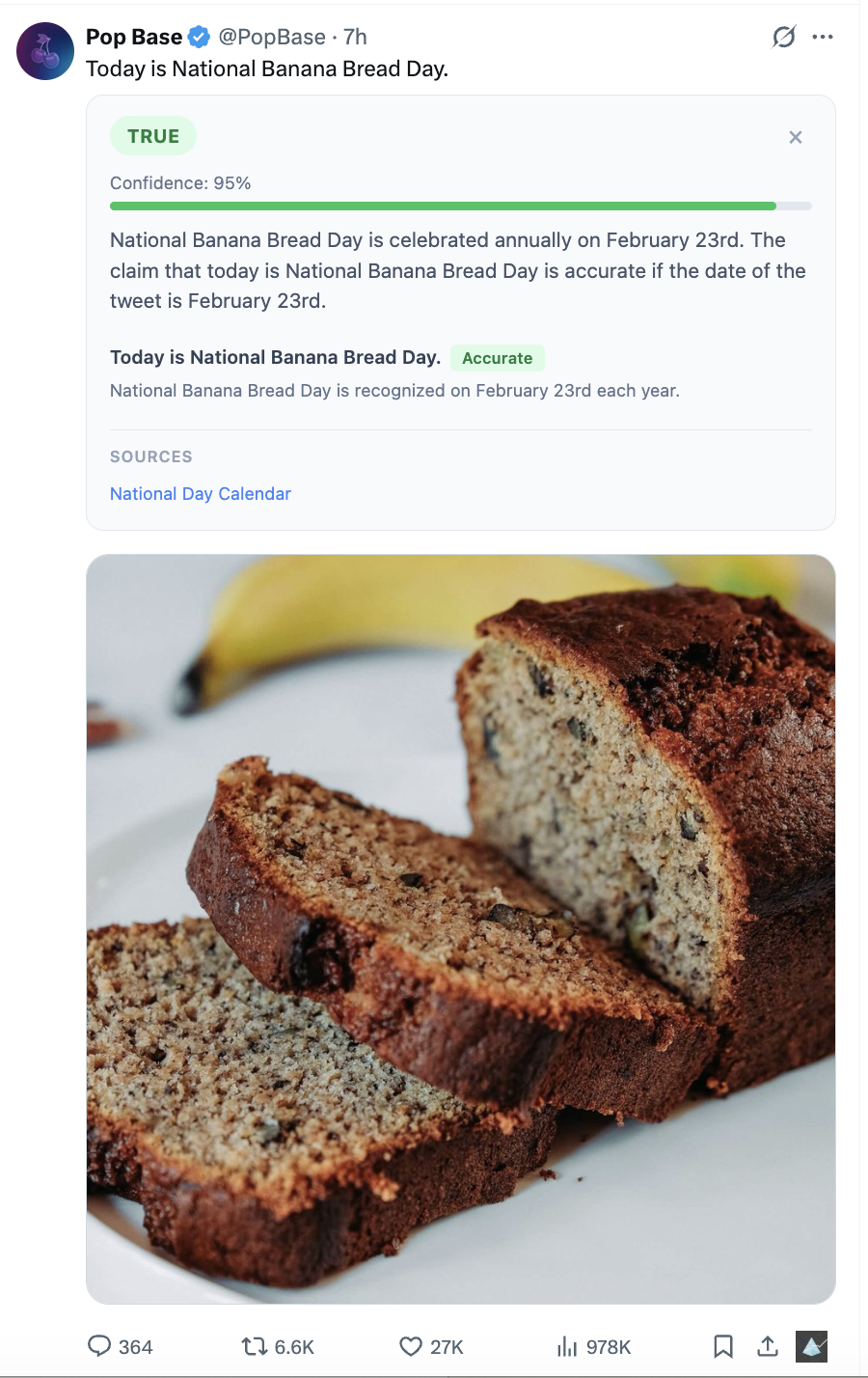
Misinformation spreads faster than truth
MIT research shows fake news travels six times faster than accurate information. A single retweet can spread a lie to thousands of people in minutes — damaging reputations, fueling panic, and eroding public trust.
Vidocq stops misinformation at the source — before you share it.
How It Works
Three steps. Three seconds. The truth.
Install in seconds
Add Vidocq to Chrome. A fact-check button appears on every tweet.
One-click analysis
Click the button. AI analyzes every claim in the tweet.
Get the truth
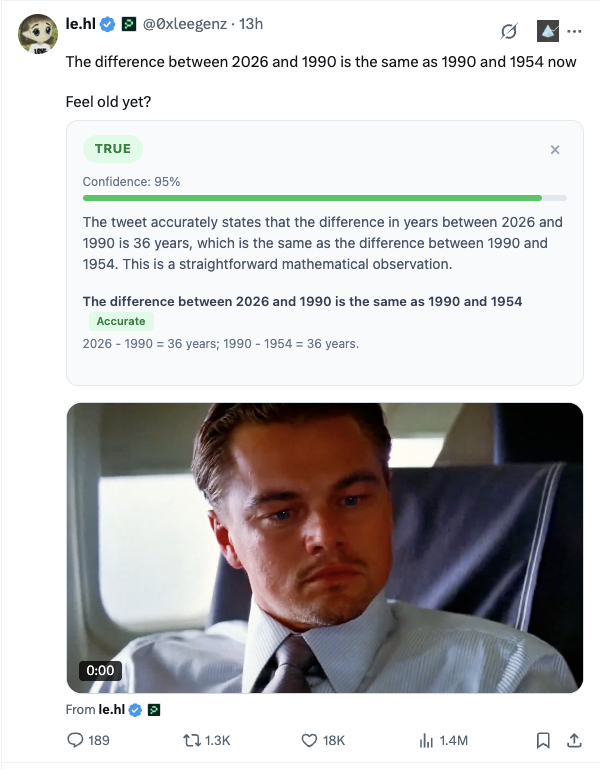
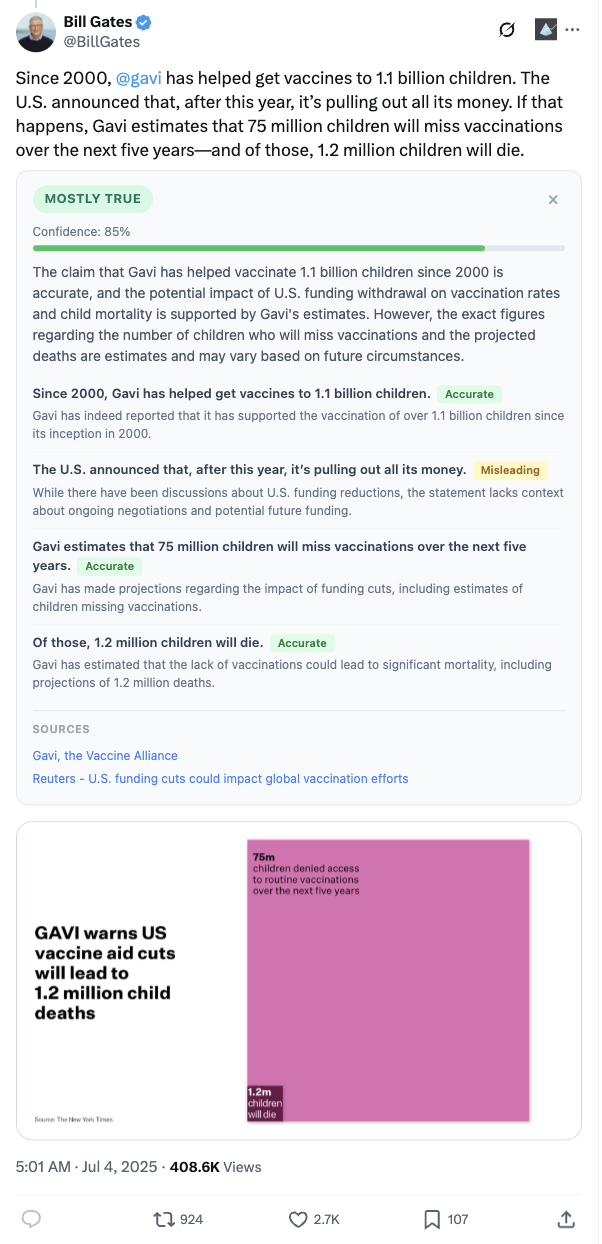
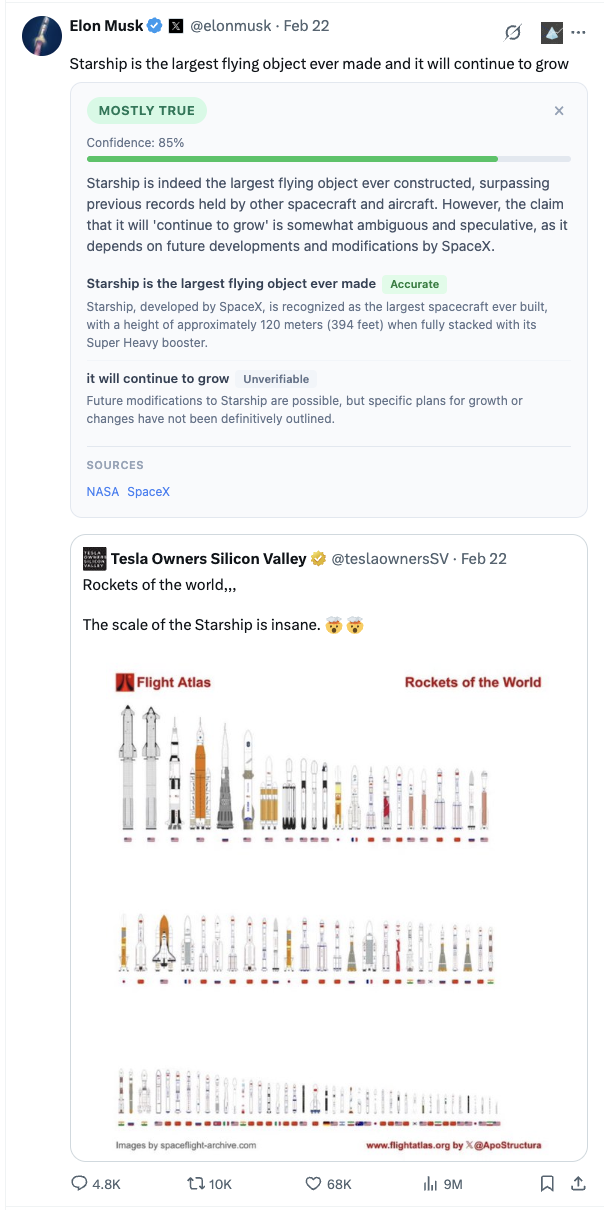
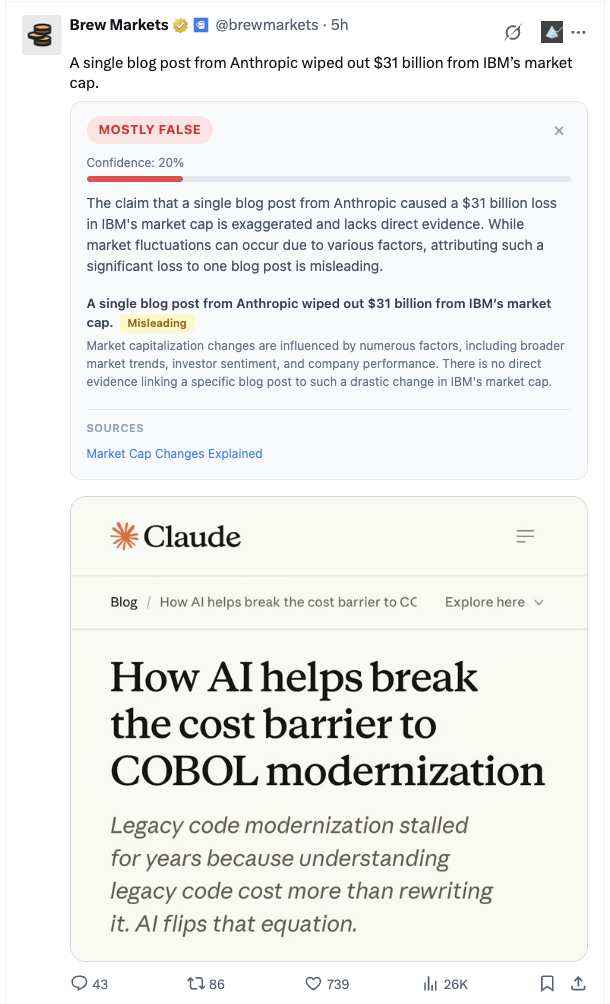
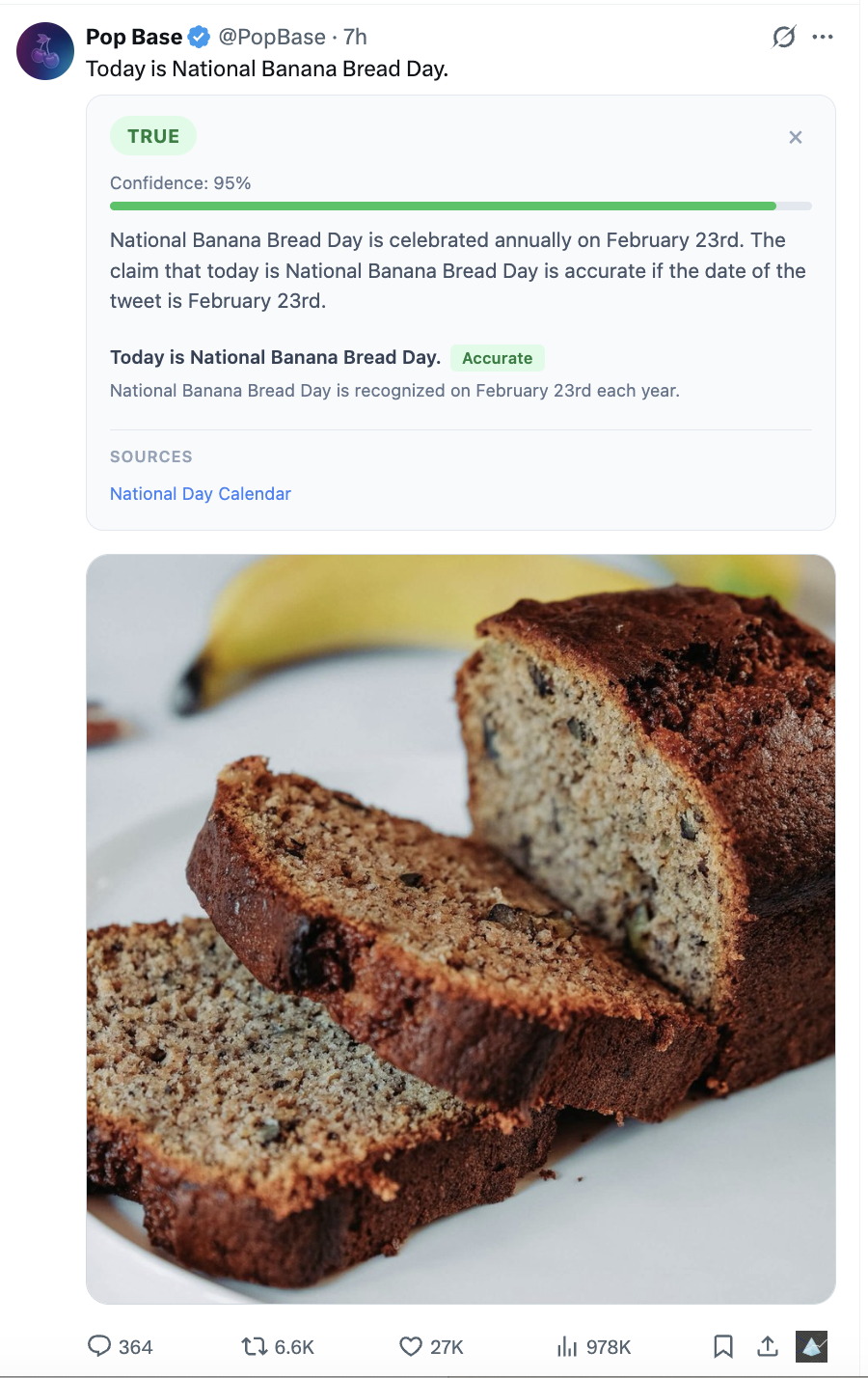
See verdict, confidence score, evidence, and sources — instantly.
See Vidocq in Action
Real screenshots from the Chrome extension.
Why thousands choose Vidocq
Powerful AI fact-checking, designed for trust.
Trust, verified
Verdicts from the world's best AI models — GPT-4o, Claude, Gemini — so you're never relying on a single source.
3-second verdicts
Get instant results. Each claim is individually assessed with evidence and real sources.
Your data stays yours
API keys are stored securely on our servers. Only you can access your keys and fact-check history.
Know how certain
Every verdict includes a calibrated 0–100 confidence score — no vague maybes.
Real sources, real evidence
Claims are backed by citations from major news outlets and official reports.
Zero setup with Pro
No API keys, no configuration. Subscribe and start fact-checking immediately.
Frequently asked questions
Everything you need to know about Vidocq.
Vidocq uses state-of-the-art AI models (GPT-4o, Claude, Gemini) to analyze claims. Every verdict includes a confidence score and cited sources so you can verify the evidence yourself. No AI is perfect — that's why we show you the reasoning and let you make the final call.
Vidocq works best on tweets containing factual claims, statistics, and references to events. Tweets that are purely opinion or satire are flagged as "Unverifiable" so you know the AI didn't try to force a verdict.
All fact-checks are processed on our servers and saved to your account so you can review them on your dashboard. Your API keys are stored securely and never shared. Only you can see your history and settings. Your privacy is our priority.
- Install the Vidocq extension from the Chrome Web Store.
- Create an account at vidocq.ai (or click the Vidocq icon in your toolbar to go there).
- Go to your Dashboard and find the Settings section.
- Choose your preferred AI model from the dropdown (e.g., GPT-4o, Claude Sonnet, Gemini Flash).
- Paste your API key for the selected provider and click Save Settings.
- Visit X/Twitter and click the fact-check button on any tweet — you're ready!
- OpenAI:
platform.openai.com/api-keys - Anthropic:
console.anthropic.com - Google:
aistudio.google.com/apikey
Your daily limit resets at midnight UTC. If you need more checks, upgrade to Pro+ for 500 checks per day. You can also switch to BYOK mode anytime for unlimited checks using your own API keys.
Yes! If you have your own API keys configured, those are used first. If you subscribe to Pro, the server key is used when no BYOK key is available for the chosen model. You manage everything from your dashboard.
Cancel anytime from your dashboard — no hoops to jump through. Your access continues until the end of your billing period, and we offer a 30-day money-back guarantee, no questions asked.
Ready to stop the spread of misinformation?
Install Vidocq and start fact-checking tweets in seconds.
Free forever with BYOK · No credit card required